

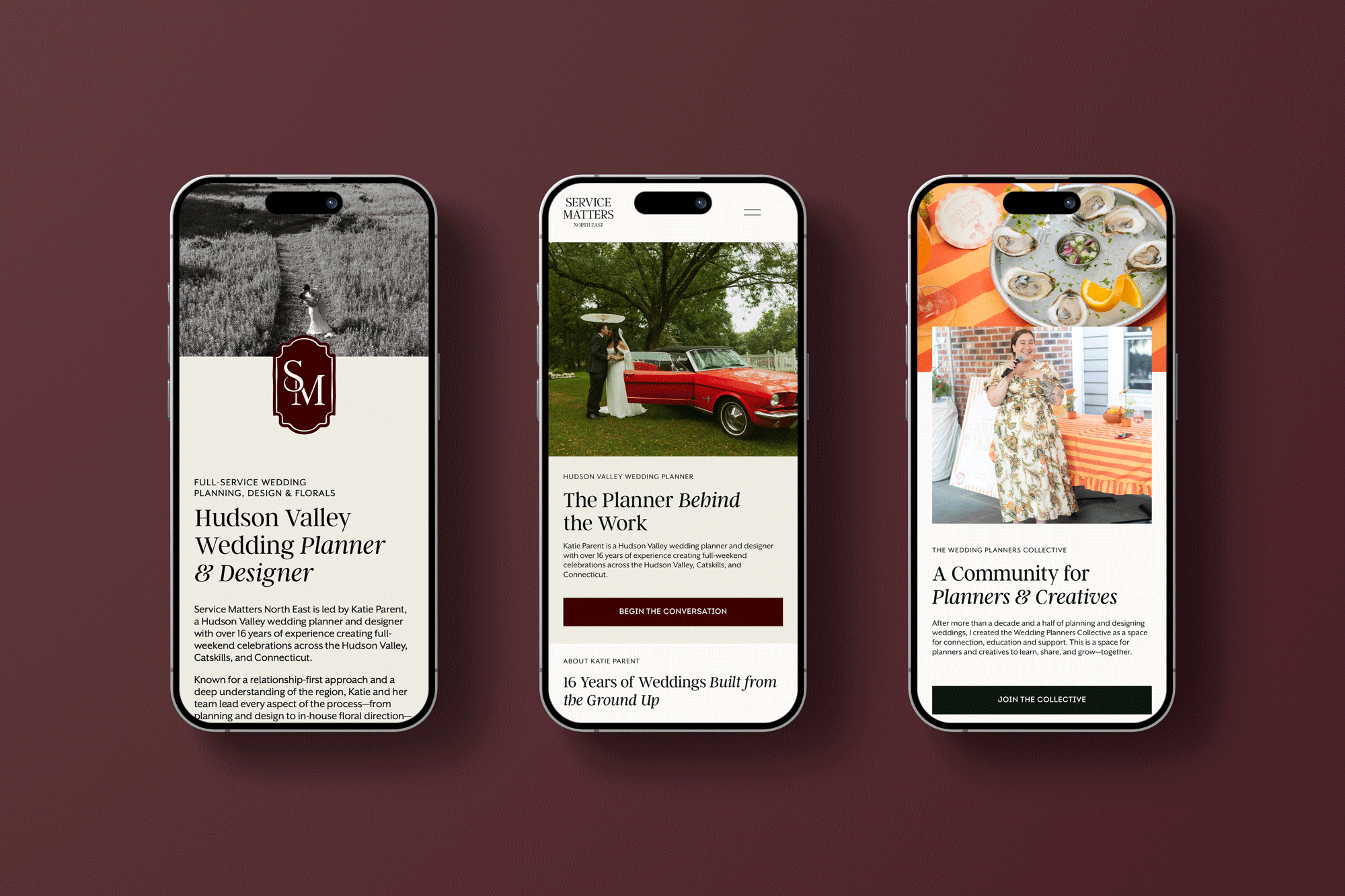
Your website may look polished on your laptop and feel like a different site on your phone. Text runs off the edge. Buttons are hard to tap. The contact form takes more patience than it should.
That’s not just a cosmetic problem. For many small businesses, a phone is where a potential client first finds your hours, explores your services, or decides whether to get in touch. Responsive web design services help make that experience clear and usable across screen sizes.
What does responsive web design mean?
Responsive web design is an approach to building a website so its layout adapts to the screen it’s being viewed on. Instead of designing a separate site for every device, the same website content rearranges to fit phones, tablets, laptops, and larger displays.
A three-column layout on a desktop might become a single, easy-to-scroll column on a phone. Images resize to fit. Navigation changes to work on a smaller screen. Text remains readable without pinching and zooming.
The goal isn’t to make every screen look identical. It’s to make sure the site feels considered and functions well wherever someone visits it. Google recommends responsive design, in part because it uses the same page content and URL across devices and is easier to maintain than separate desktop and mobile sites.
Why mobile matters for your business
Mobile browsing is a major part of how people use the web. In September 2026, mobile accounted for about 60% of worldwide web usage tracked by Statcounter. That’s a global snapshot, not a guarantee about your specific audience. Your own analytics can show whether mobile visitors make up an even larger or smaller share of your traffic.
Regardless of the exact percentage, it’s worth asking: what happens when someone looks up your business while they’re out, between meetings, or sitting on the couch?
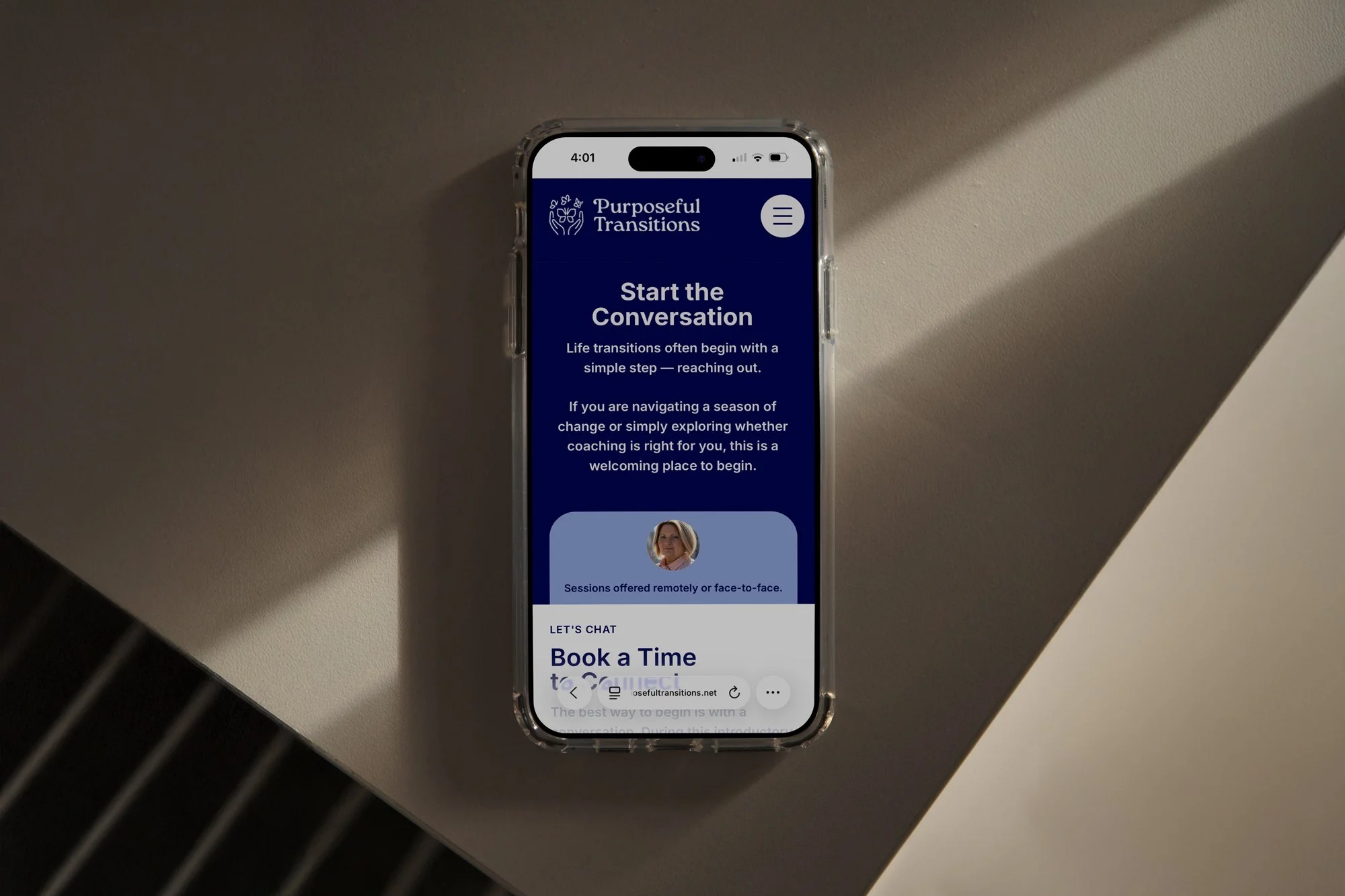
Can they quickly find your services? Is your phone number easy to tap? Can they fill out your inquiry form without fighting tiny fields or a keyboard that covers the submit button?
A difficult mobile experience can make someone give up before they learn what you do. A responsive site reduces those points of friction and makes it easier for interested visitors to take the next step.
Mobile and Google
Google uses the mobile version of a site’s content for indexing and ranking. This is known as mobile-first indexing. It doesn’t mean a responsive design automatically earns higher rankings. It does mean your mobile experience deserves attention, and that important content shouldn’t disappear on smaller screens.
For example, if your services, headings, or useful information are hidden from the mobile version, Google may not see the same content a desktop visitor does. Google advises keeping the primary content equivalent across mobile and desktop, even if the layout changes.
What responsive design involves
A responsive website is more than a desktop page shrunk down to fit a phone. The layout, content, and interactions need to adjust together.
Flexible layouts. Content should be able to reflow as the available space changes. A page might show a row of service cards on desktop and stack them vertically on a phone.
Readable type and spacing. Text should be comfortable to read without zooming. Buttons and links need enough room to tap without accidentally selecting something beside them.
Images that fit. Photos and graphics should resize within the layout rather than spill off the screen. They should also be optimized so they don’t make a page unnecessarily slow to load.
Navigation that works on touch. Menus should be easy to open, use, and close with a finger. Hover effects alone aren’t enough for someone using a touchscreen.
Forms and actions that work. Contact forms, booking links, quote requests, phone numbers, and checkout steps should be usable on a small screen. Those details often matter more than a clever animation.

How to tell if your website is truly responsive
You don’t need to know how your website was coded to spot common issues. Start by checking the pages your customers rely on most: your homepage, service pages, contact page, and any booking or inquiry forms.
Try it on your phone
Open your site on a real phone and use it as a visitor would. Can you find what you need without zooming? Does the menu work? Can you tap your phone number and call? Can you complete and submit the contact form?
Test more than the homepage. A site can appear fine at first glance but have a service page, pop-up, or embedded form that doesn’t behave well on mobile.
Resize your browser
On a computer, make your browser window narrower and wider. Watch how the content changes. It should adjust smoothly, not overlap or get cut off between common screen sizes.
Look for:
Text that becomes too small or runs beyond the edge
Images or sections that create sideways scrolling
Buttons placed too close together
Menus that are difficult to open or close
Forms that are hard to fill out
Important content that disappears on mobile
Some vertical scrolling is normal. Having to scroll sideways to read a page is usually a sign that something needs attention.
Check with Google’s tools
PageSpeed Insights can test a page on mobile and desktop and flag performance and usability issues. It combines lab testing with real-world data when enough data is available. Treat its results as a helpful starting point, not a complete verdict on the quality of your website.
For a closer look at different screen widths, Chrome’s Device Mode lets you preview a page at mobile and tablet sizes. It’s useful for catching layout problems, though testing on a real phone is still worthwhile.
Responsive design and your brand
A site that adapts well shouldn’t feel like your brand has been squeezed into a smaller box. The mobile layout still needs clear visual hierarchy, thoughtful spacing, and the same confidence as the desktop experience.
That takes more than making text fit. It means deciding what visitors need to see first, how they’ll move through the page, and which actions should be easiest to take. A well-planned mobile experience can feel simpler without making the business itself feel less complete.
You can see examples of our website work in the Studio Pierson portfolio, including the Service Matters North East project. Each project starts with the business and its audience, then carries that thinking through the design and digital experience.

When should you consider a redesign?
A full redesign isn’t always the first answer. Sometimes a few targeted improvements can make a noticeable difference. But if your site looks outdated on phones, is difficult to update, or makes it hard for visitors to contact you, it may be time to look at the bigger picture.
A useful first step is to review your site on your phone and note the moments that feel frustrating. Then check your analytics to see how people use the site and where they leave. Those observations can help you decide whether you need a focused round of fixes or a more complete rethink.
Responsive web design services should address how a website works, not only how it looks. The right approach considers your brand, your content, and the path you want visitors to take, then brings those pieces together across screen sizes.
Your website should make it easy for the right people to understand what you offer and get in touch. If yours isn’t doing that on mobile, let’s talk about what could be improved.